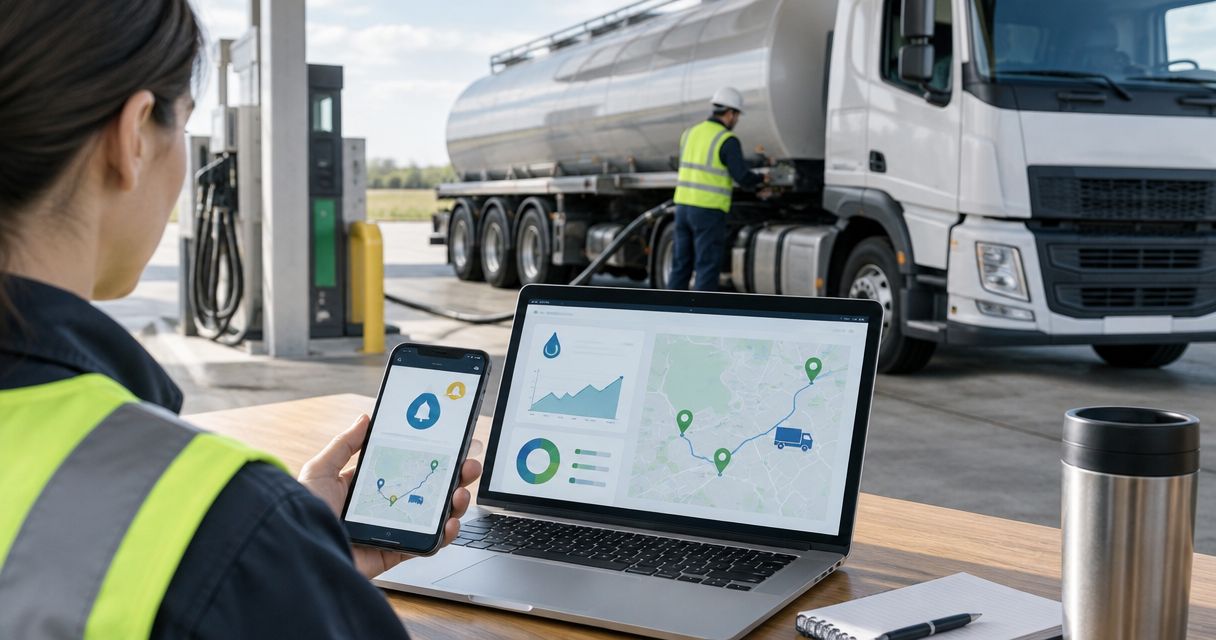
Truck out of diesel? Contact roadside assistance now; instead of checking fleet fuel card alerts by hand, route supported alerts to dispatch, verify the driver’s situation, and request diesel delivery. Atlroadside provides 24/7 roadside assistance for Atlanta metro drivers and commercial fleets.
- Use fleet fuel card diesel delivery alerts to prompt driver verification, not automatic service orders.
- Atlroadside is best for Atlanta metro fleets needing 24/7 diesel delivery and heavy-duty roadside assistance.
- Confirm the truck, current location, diesel requirement, and authorization before requesting service.
- Keep card details out of roadside requests; record provider acceptance separately from sending the request.
Why this matters
A fuel card exception is not a confirmed roadside emergency. A declined transaction tells you a purchase failed; it does not establish the truck’s fuel level, location, or mechanical condition.
Automate the alert handoff, not the decision to send fuel. Your 2026 workflow needs a human checkpoint between a card event and a service request. That checkpoint separates a card problem from a stranded truck.
Keep the first question simple: is the driver safely stopped, and does the vehicle actually need diesel? If anyone faces immediate danger, call 911 before handling the card alert or delivery request.
Before you start
- Access and routing: Have an authorized fuel card administrator, the alert channels your account actually supports, and a monitored dispatch inbox or work queue. Do not build around an export, webhook, or connector until your provider confirms it exists for your account.
- Driver and vehicle records: Keep the unit ID, assigned driver, callback number, fuel type, fleet authorization contact, and roadside contact method accessible to dispatch. Assign a primary dispatcher and a backup contact for each covered shift.
- The gotcha: A fuel card transaction location is not necessarily the truck’s current location. Reassignment, delayed notifications, and movement after a failed purchase make driver confirmation essential before requesting delivery.
No particular fuel card platform is required for this process. The labels below are suggested internal worksheet fields, not claimed menu names or buttons in your software. Use equivalent fields in the system you already operate.
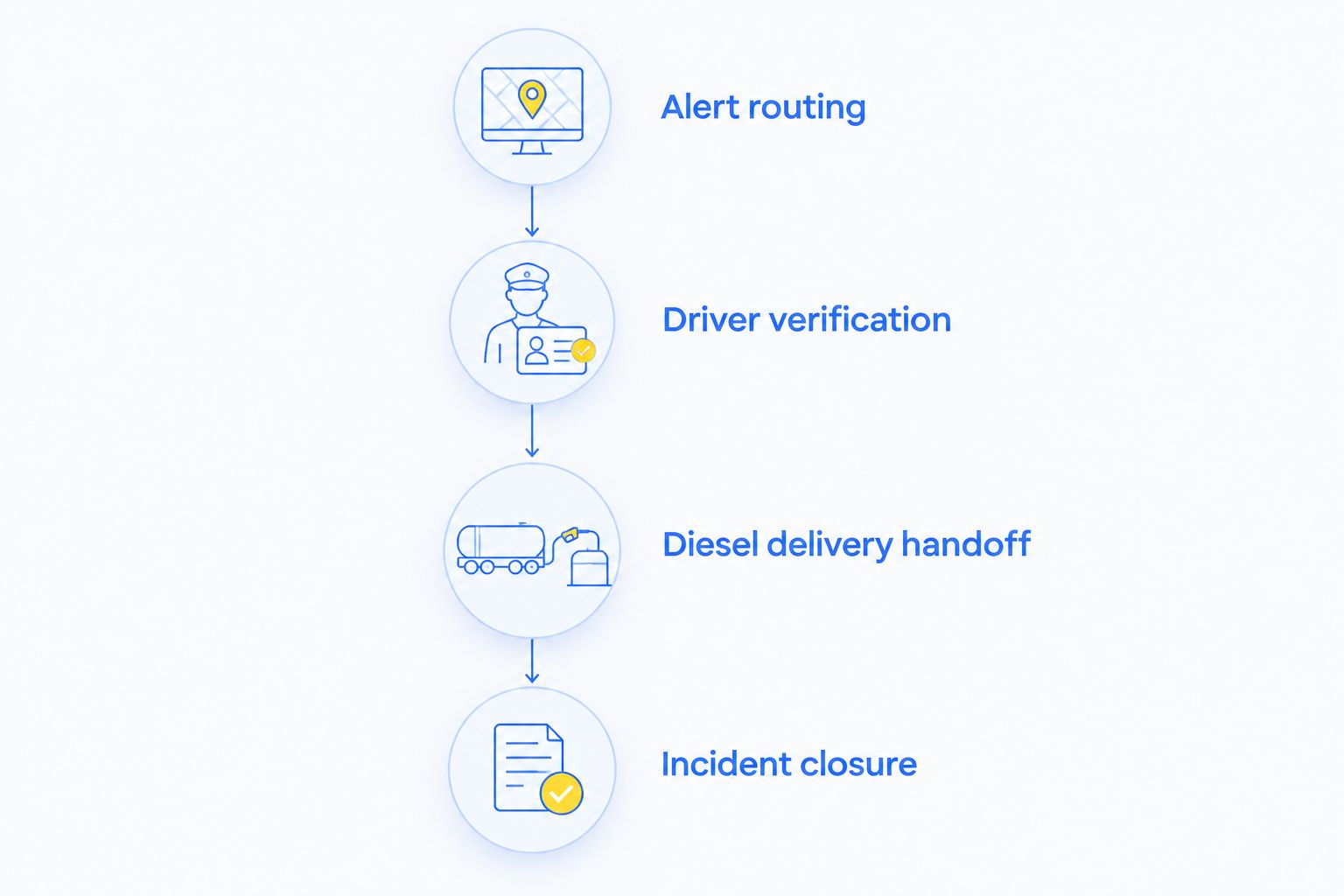
Alert routing
Build this part of your 2026 workflow around the notification method your account supports. If your provider only sends email, use the monitored inbox; do not make an unsupported integration a condition of getting a driver help.
- Ask your fuel card administrator which transaction exceptions and delivery channels are supported. Select the events your dispatch team needs to review, such as declined purchases, where offered.
- Route those events to the monitored dispatch destination. Confirm that the destination remains staffed during the shifts your trucks operate.
- Create an internal incident record with Event received, Unit ID, Driver, Event type, and Assigned dispatcher. Preserve the original notification for reference.
- Match the card assignment to the vehicle record. If the match is uncertain, mark the incident Needs verification rather than guessing which truck needs help.
- Have the assigned dispatcher acknowledge ownership. Keep a backup contact responsible for checking unassigned incidents during the shift.
Expected result: A supported card alert reaches a responsible person and has a traceable incident record. No delivery request has been sent yet.
Choose the routing method you can support
Both methods below use the same driver-verification checkpoint. Choose based on confirmed account features and who will maintain the process—not on how automated the setup sounds.
| Routing method | Best for | Advantage | Limitation |
|---|---|---|---|
| Monitored inbox and manual incident entry | Fleets starting with existing email alerts | Keeps the process visible without depending on a connector | Dispatch must copy details and check for duplicates |
| Supported integration into a dispatch queue | Fleets with a verified connection and an assigned system owner | Removes a manual transfer between systems | Mapping errors and connection failures still need monitoring |
For either method, send a controlled test before relying on the route. Confirm that the backup dispatcher can find the incident without access to the primary dispatcher’s personal account.
Driver verification
A driver’s current report determines the next action. Do not ask a moving driver to complete a form or take a photo; wait until the driver can communicate safely.
- Contact the assigned driver through your established channel. Confirm Unit ID and Driver callback before discussing the alert.
- Ask whether the truck is safely stopped, whether it is out of fuel, and what happened immediately before it stopped. Record the driver’s observations without turning them into a mechanical diagnosis.
- Confirm Current location, including road name, direction of travel, nearest exit or landmark, and a location pin when the driver can safely share one.
- Confirm Fuel type from the vehicle’s approved information. Never substitute the card’s purchase category for confirmation that the vehicle requires diesel.
- Check Service authorization with the fleet’s designated approver. Record who authorized the request and who will remain reachable.
Expected result: Dispatch knows which truck needs assistance, where it is now, whether diesel is required, and who can authorize service.
If the driver has fuel but cannot complete a transaction, handle the card issue through the fleet’s card process. If the driver reports a leak, collision, smoke, or another hazard, stop treating the incident as a routine fuel shortage and relay the conditions to emergency responders or the roadside provider as appropriate.
Diesel delivery handoff
Atlroadside is best for Atlanta metro fleets needing 24/7 diesel delivery and heavy-duty roadside assistance. The service supports the roadside response; your fleet still owns the alert checks, driver verification, and authorization process described here.
- Contact the roadside provider through its published contact method. State that you need diesel delivery for a commercial vehicle in the Atlanta metro area.
- Provide the verified unit description, current location, direction of travel, driver callback, and confirmed fuel requirement. Identify access problems or reported hazards before discussing the handoff.
- Give the fleet authorization contact’s details. Ask what additional information the provider needs to assess and accept the request.
- Record Provider acceptance only after the provider confirms the job. Keep Request sent separate; a submitted message is not confirmation that assistance is coming.
- Relay the confirmed instructions to the driver. If the location or conditions change, update the provider rather than opening a second request.
Expected result: The provider has accepted the request, the driver knows the next action, and dispatch has a named incident owner.
Use this 2026 handoff sequence for a new dispatcher’s training. It keeps a card alert, a verified emergency, and an accepted service request from becoming one misleading status.
Need help with a stranded truck now? Contact Atlroadside and give the truck’s current location, diesel requirement, and driver callback. Do not wait for a new alert rule to be configured.
Request roadside assistance
Get 24/7 Atlanta metro help for a stranded driver or commercial vehicle.
Incident closure
Keep closure tied to the vehicle’s outcome, not the arrival of another card notification. A successful purchase alone does not confirm that the original roadside problem is resolved.
- Confirm the service outcome with the driver and provider. Record Service outcome and whether the truck can continue or needs further assistance.
- Keep the incident open if the vehicle still cannot operate. Explain the remaining symptoms to the provider instead of repeatedly requesting fuel.
- Record the final fleet disposition and notify the person responsible for the vehicle’s next assignment.
Expected result: Dispatch can distinguish completed fuel delivery from a truck that remains disabled. Atlroadside also provides heavy-duty towing and recovery when the incident requires a different roadside response.
When an existing alert is updated
An updated incident needs a narrower workflow than a new emergency. Use this variant when the driver sends a corrected location, authorization changes, or additional notifications arrive for the same unresolved event.
- Match the incident. Check the unit, driver, and original event before creating another record.
- Review the change. Separate operational updates, such as a new location, from repeated card notifications.
- Notify the owner. Send the change to the dispatcher already handling the truck.
- Update the provider. Relay changes that affect the accepted request and confirm receipt.
- Preserve the history. Keep the original details and subsequent corrections visible.
Do not let a later card event automatically cancel an accepted delivery request. Ask the driver whether assistance is still needed, then contact the provider directly if the request must change.
This rule belongs in your 2026 dispatch procedure even if every step remains manual. It prevents conflicting messages from becoming conflicting service instructions.
Troubleshooting
The alert arrives, but nobody takes ownership
Assign a primary dispatcher and backup for the covered shift. Test that both can access the queue, and make unassigned incidents part of the shift handoff. An email address without an owner is not a dispatch process.
Several alerts create several delivery requests
Keep one open incident for the verified roadside event. Attach repeated notifications to that record after checking the unit and circumstances. Require the assigned dispatcher to review any new service request for the same truck.
The card location and driver location disagree
Use the driver’s safely confirmed current location for the service request. Preserve the transaction location as background information, clearly marked as such. If the driver cannot confirm the location, resolve that gap before issuing travel directions to the provider.
The driver needs fuel, but authorization is unclear
Route the incident to the fleet’s designated approver and backup contact. Keep the driver informed while authorization is resolved. Do not assume that possession of a fleet fuel card authorizes a separate roadside service.
Diesel arrives, but the truck still will not run
Tell the provider the truck remains disabled and follow the vehicle manufacturer’s operating guidance. Do not repeatedly crank the engine or improvise fuel-system work. Ask the provider to assess the next appropriate roadside or towing step.
Customize your workflow
Start with one alert route, one incident owner, and one verified handoff. Add automation only after the manual process produces clear records and correct service requests.
Before deploying your 2026 workflow, run 3 test cases: a card decline without a fuel shortage, a confirmed diesel runout, and a corrected location after provider acceptance. Use internal simulations; do not place live roadside orders for testing.
Keep full card numbers, security codes, passwords, and unrelated driver information out of the roadside request. Send only the details needed to identify the truck, reach the driver, authorize service, and locate the job.
For a fuller request format, use the emergency fuel delivery request workflow. Confirm the provider’s accepted communication method before relying on a text-based handoff.
FAQ
Can a fleet fuel card alert automatically order diesel delivery?
Use a fleet fuel card alert to start verification, not to place an unattended delivery order. Confirm the truck’s current location, diesel requirement, driver safety, and fleet authorization before requesting service.
Does a declined fuel card mean my truck is out of diesel?
No. A declined transaction establishes that a purchase failed, not that the truck is empty. Contact the driver to distinguish a card problem from a roadside fuel shortage.
Does Atlroadside provide diesel delivery for Atlanta fleets?
Atlroadside provides 24/7 diesel delivery for semi-trucks and commercial vehicles across the Atlanta metro area. Contact the provider with the current location, vehicle details, driver callback, and confirmed fuel requirement.
Do I need a specific fuel card platform for this workflow?
No specific platform is required for the manual workflow. Use your account’s supported notification method and verify any integration before relying on it.
What information should dispatch send for diesel delivery?
Send the current location, direction of travel, vehicle identification, driver callback, confirmed fuel type, and authorization contact. Include reported hazards or access problems, but exclude full payment-card credentials.
What if a truck still will not start after diesel delivery?
Keep the incident open and tell the roadside provider the vehicle remains disabled. Follow the manufacturer’s operating guidance and arrange the next appropriate assistance rather than assuming more fuel will solve the problem.
One last thing
A cleared card alert is not a cleared roadside incident. Close the job only after the driver’s outcome is confirmed and the fleet knows whether the truck is moving, waiting for further help, or being towed.