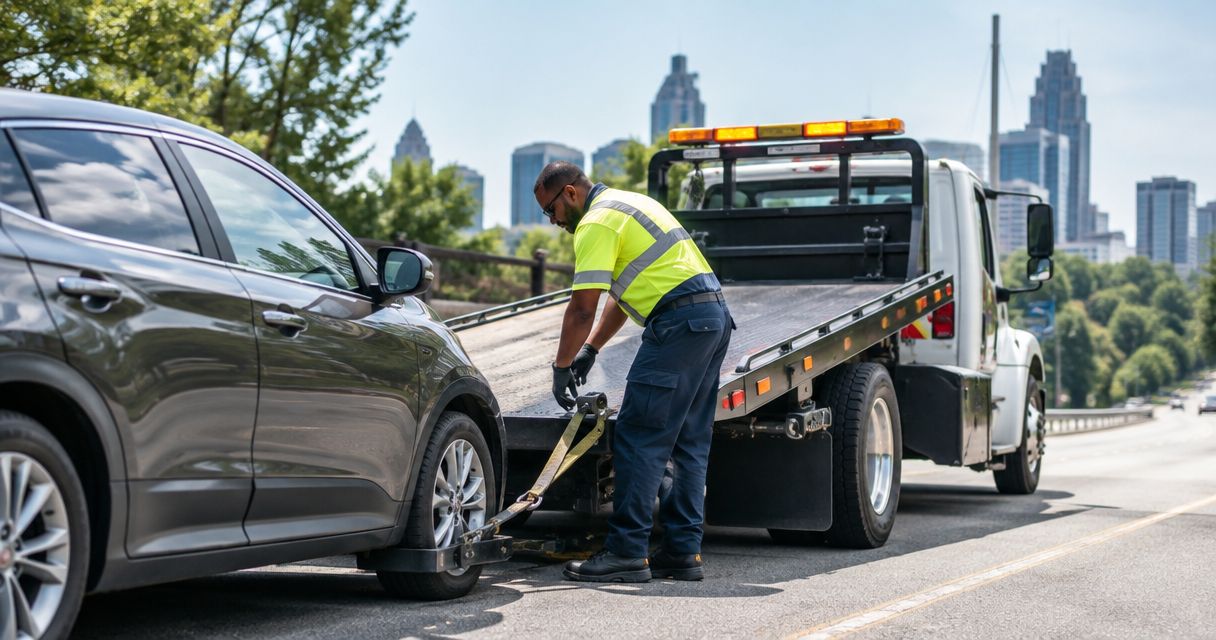
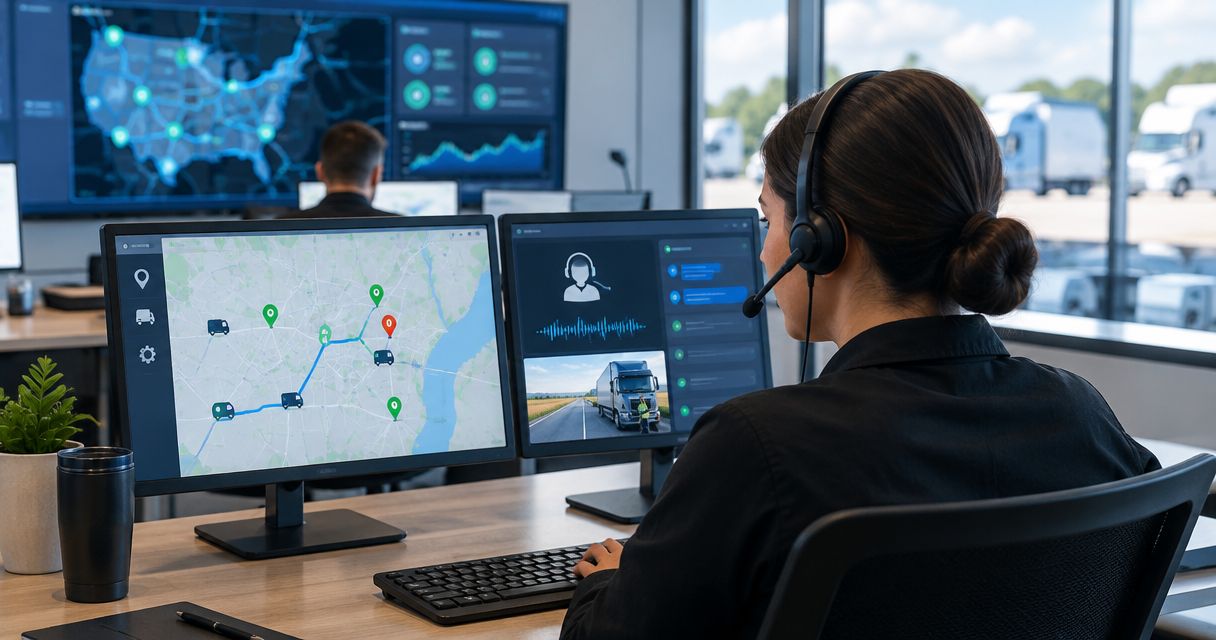
Stop relaying a stranded driver's location through repeated calls. Connect fleet GPS tracking to an internal incident queue, have a dispatcher confirm the breakdown, then call Atlroadside for 24/7 roadside assistance across the Atlanta metro.
- Fleet GPS tracking roadside dispatch integration should create an incident for dispatcher approval, not automatically order a tow.
- Atlroadside is best for Atlanta fleets needing 24/7 roadside assistance and heavy-duty towing.
- Send the vehicle ID, timestamped location, driver callback, and confirmed service need together.
- Keep a phone fallback: a GPS alert is not proof that roadside help is required.
Why this matters
A map pin tells you where a tracker reported. It does not tell you whether the driver needs diesel, a jump start, a tire change, or heavy-duty recovery. Dispatch needs both location and a confirmed problem.
Atlroadside is best for Atlanta fleets needing 24/7 roadside assistance and heavy-duty towing. The fleet owns the tracking workflow; the roadside provider handles the service request. Keep those responsibilities separate.
For your 2026 workflow, make the integration do the paperwork. Keep the decision to send help with a person who can speak to the driver and confirm access.
Before you start
- Get the right access. You need permission to view vehicle locations, configure supported notifications or integrations, and manage the receiving incident queue. Use your GPS vendor's documented export, webhook, or API features where supported.
- Assign coverage. Choose a primary dispatcher and a backup dispatcher, maintain driver callback details, and confirm how your fleet will contact roadside assistance after hours.
- Check the handoff first. A GPS platform connection does not establish a connection to a roadside provider. Confirm the provider's accepted communication method before building anything that sends information outside your fleet.
The non-obvious gotcha is the location timestamp. A working tracker can still show an old position. Send the time with the coordinates, and ask the driver to confirm the location.
The field names below are suggested labels for your internal incident record, not claims about a particular platform's interface. Match them to the documented controls in your GPS and dispatch systems. Do not paste credentials into driver messages or shared incident notes.
1. Incident trigger
Start with a driver-confirmed request. It gives dispatch a stated problem instead of asking someone to interpret a dot on a map.
- Choose the event that starts the workflow: a driver requesting roadside help through your existing fleet communication process.
- Use the vehicle identifier to retrieve the corresponding GPS record through a supported connection. Match on a stable vehicle ID, not a nickname that drivers reuse.
- Create 1 incident record per breakdown. Store its identifier so later messages update the same record instead of creating another service request.
- Record the request time and the GPS observation time separately. One describes when help was requested; the other describes when the tracker reported its position.
- Set the initial state to Needs review in your internal queue. Treat that as a fleet-defined status, not confirmation that a provider has accepted the job.
Expected result: one incident appears with a vehicle ID, a driver request, and a timestamped location. No roadside service has been ordered yet.
For the 2026 rollout, start with this driver-requested trigger before adding telemetry alerts. A stopped vehicle alone is not a breakdown: it can be parked, loading, or waiting for an appointment.
2. Location and service details
Give dispatch enough information to make the call without sending the driver through the same questions twice. Keep the record short enough to read under pressure.
- Map the vehicle ID, coordinates, GPS observation time, and driver callback into the incident record. Preserve latitude and longitude as separate values if the receiving system requires them.
- Add the driver's description of the location: road, travel direction, nearest exit or landmark, and where the vehicle is stopped. A map pin does not explain which side of a divided highway the driver occupies.
- Ask the driver to identify the problem. Record the stated need: fuel delivery, jump start, lockout, tire change, towing, or recovery.
- Add vehicle information relevant to that request. For a commercial rig, capture whether a trailer is attached and whether the driver reports a loaded vehicle. For fuel delivery, confirm the fuel type rather than assuming diesel from the vehicle category.
- Record hazards and access restrictions reported by the driver. Keep observations separate from guesses about the mechanical fault.
Expected result: the incident contains a location the driver recognizes and a service need the dispatcher can explain.
Use this compact record format:
| Internal field | What to put in it | What to check |
|---|---|---|
| Vehicle ID | Your fleet's stable identifier | It matches the stranded vehicle |
| GPS location | Coordinates from the tracking record | The coordinate order matches the receiving system |
| Location time | When the tracker observed that position | It is not being mistaken for a live position |
| Driver callback | A reachable driver contact | Dispatch can reach the person at the vehicle |
| Road position | Road, direction, exit, and stopping place | The driver confirms the approach location |
| Service need | The driver's confirmed problem | Fuel type or vehicle class is not assumed |
| Access notes | Reported hazards and access limits | Relevant details reach the provider |
Limit access to the people handling the incident. A driver contact and precise location do not belong in a fleet-wide message when a smaller dispatch group can handle the request.
3. Dispatcher approval and provider handoff
This is the control point. An internal alert becomes a roadside request only after someone checks it and makes the handoff.
- Safety check: speak to the driver. If there is a collision, fire, immediate danger, or a vehicle obstructing traffic, prioritize emergency services rather than treating the event as a routine breakdown.
- Incident record: confirm the vehicle, callback, current location, and requested service. Ask about road direction and access before relying on the pin.
- Dispatcher review: check for an existing open incident for the same breakdown. Assign one dispatcher to own the request and approve the provider contact.
- Provider call: contact Atlroadside for the confirmed Atlanta metro roadside need. Explain whether the request concerns a passenger vehicle, commercial vehicle, or semi-truck, and relay the access notes.
- Record what the provider actually confirms. Do not label the incident Service accepted merely because an email was sent, a webhook succeeded, or an internal notification appeared.
Expected result: dispatch knows who owns the request, the driver knows the next action, and the incident records the provider's actual response.
The 2026 handoff rule is simple: message delivery is not service acceptance. Keep the request open until a person confirms the next step.
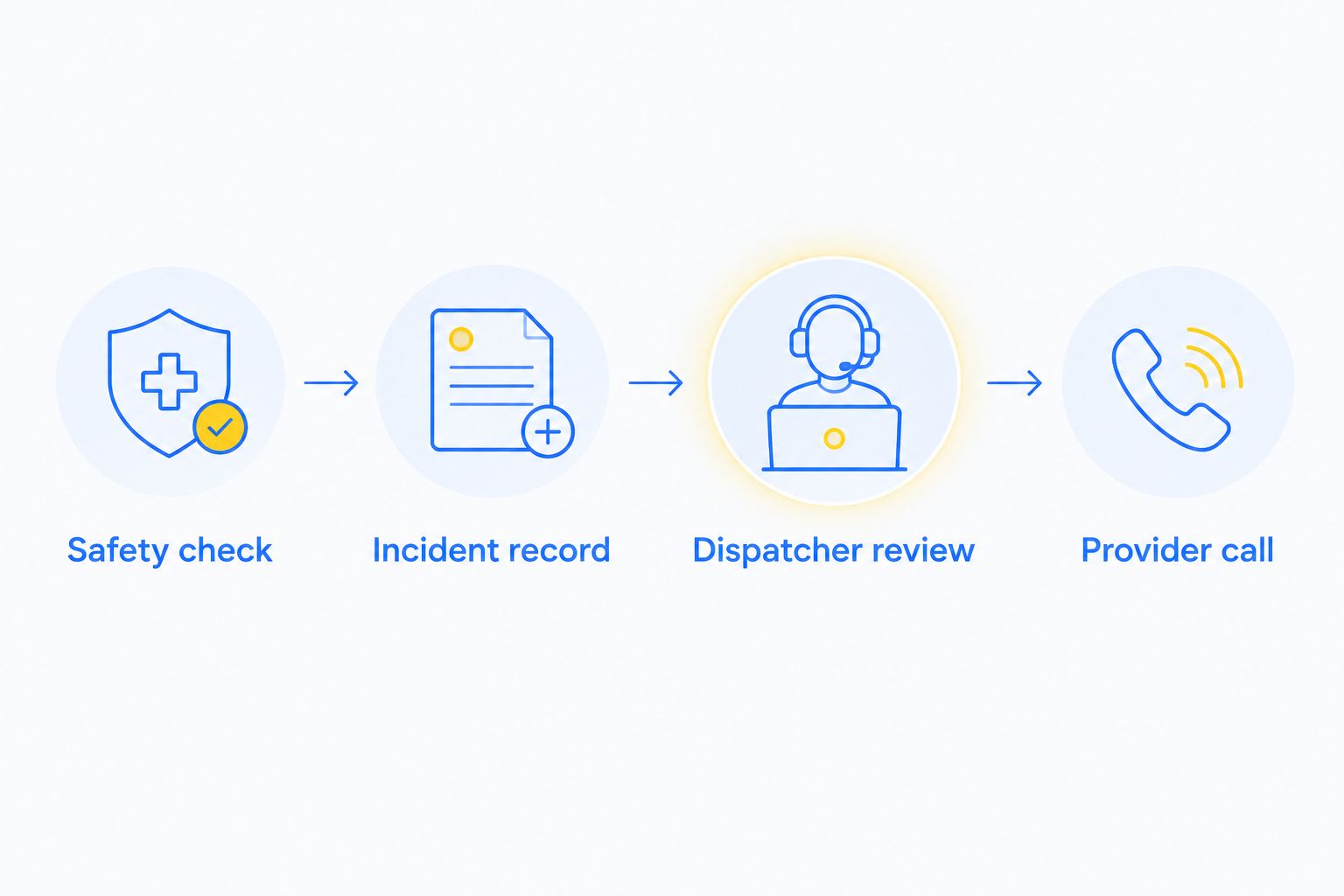
A GPS connection supports the handoff; it does not replace the call. Atlroadside provides 24/7 fuel delivery, jump starts, lockout service, tire changes, towing, and heavy-duty towing and recovery across the Atlanta metro.
Get roadside help for your fleet
Use the confirmed location and service details to request 24/7 Atlanta metro roadside assistance.
4. Testing and fallback coverage
Test the whole chain without creating a real roadside request. A successful connection test proves only that systems exchanged data, not that your dispatch process works.
- Run 2 test cases: a driver-requested incident with current coordinates, and an incident with an old location timestamp. Mark both clearly as tests and keep them inside your fleet.
- Verify that the dispatcher sees the vehicle, driver callback, service need, and location time together. Check coordinate placement on the map against a known location.
- Resend the same test event. Confirm that it updates the existing incident instead of creating a second request.
- Test the after-hours route. Have the backup dispatcher acknowledge a test incident through the process your fleet actually uses.
- Rehearse the phone fallback with the driver. If tracking fails, dispatch must still collect the road, direction, landmark, callback, and problem by phone.
Expected result: both test cases reach the right person, repeated events remain attached to one incident, and the fallback works without GPS data.
Keep these checks in your 2026 dispatch procedure. Repeat them after changing permissions, event rules, field mappings, or the receiving queue. A change that looks harmless can break the handoff.
Create an incident when a vehicle alert arrives
A second workflow starts with a supported vehicle alert rather than a driver request. Use it to prompt a check-in, not to automatically order roadside service.
- Choose an alert your GPS platform actually supports and document what it means.
- Attach the vehicle's location and observation time to an internal review record.
- Ask the dispatcher to contact the driver and confirm whether assistance is needed.
- If the driver confirms a breakdown, complete the same incident details and provider handoff. If no help is needed, close the review record with the reason.
Best for: fleets that want dispatch to investigate vehicle alerts before a driver requests help. Its benefit is another route into the incident queue; its limitation is that the alert still needs interpretation.
| Workflow | Best for | Advantage | Limitation |
|---|---|---|---|
| Driver-requested incident | Fleets starting a roadside handoff process | Begins with an explicit request for help | Depends on the driver contacting dispatch |
| Alert-triggered review | Fleets with supported vehicle alerts and staffed dispatch | Brings an alert into a review queue | Does not establish that roadside service is needed |
Use driver-requested incidents as the starting workflow. Add alert-triggered review only after your team can distinguish a notification from a confirmed breakdown.
Troubleshooting
The map pin points to the wrong place
Check whether latitude and longitude were reversed during mapping. Compare the coordinates with the original GPS record, then ask the driver to confirm the road and direction. Do not send a provider to an unverified pin.
The location looks right but is old
Read the observation timestamp, not just the map marker. Check tracker connectivity through your vendor's documented process. Collect the driver's current location by phone while you resolve the tracking issue.
One breakdown creates several incidents
Check whether repeat alerts and driver messages use the same incident identifier. Attach updates to the open breakdown record. Require dispatcher review before another provider request is made.
A notification arrives, but nobody owns it
Assign a primary dispatcher and a backup dispatcher. Use an acknowledgment step, not an inbox as proof of coverage. If the primary does not acknowledge the request, follow your fleet's escalation procedure.
The integration stops sending events
Check connection authorization, permissions, and the receiving system's error log. Follow the vendor's documented recovery steps. Switch to the phone fallback while restoring the connection; the stranded driver should not wait for software troubleshooting.
Customize your workflow
Expand the incident record by service need, not by adding every available GPS field. Fuel requests need confirmed fuel type. Tire requests need the affected tire position and relevant vehicle details. Heavy-duty towing or recovery needs a clear account of the rig and where it is stuck.
Use the roadside assistance guide for fleet managers to plan the broader fleet process. Keep the integration focused on getting a verified request to a responsible person.
For your 2026 fleet review, examine missing callbacks, wrong locations, duplicate requests, and unacknowledged incidents. Fix the handoff failures before adding more alert types.
FAQ
How do I connect fleet GPS tracking to roadside dispatch?
Connect a supported GPS data source to an internal incident queue, then require dispatcher approval before contacting roadside assistance. Include the vehicle ID, timestamped location, driver callback, and confirmed service need.
Does Atlroadside have a native integration with my GPS platform?
Confirm a supported connection directly before configuring one. Keep GPS processing inside your fleet and use a confirmed provider contact method for the roadside handoff.
Can a GPS alert automatically order a tow truck?
Use a GPS alert to start dispatcher review, not to order a tow automatically. The dispatcher must confirm the driver needs help and explain the vehicle and access conditions to the provider.
What information should a fleet send with a roadside request?
Send the vehicle ID, current location with its observation time, driver callback, and confirmed problem. Include road direction, access hazards, and vehicle details relevant to fuel delivery, tire service, towing, or recovery.
What should dispatch do if the truck's GPS is offline?
Collect the location and problem directly from the driver by phone. Confirm the road, direction, nearest exit or landmark, and callback before contacting the roadside provider.
Can this workflow handle semi-truck roadside needs in Atlanta?
Yes, the incident workflow can collect semi-truck details for a roadside handoff. Atlroadside provides 24/7 roadside assistance and heavy-duty towing and recovery across the Atlanta metro; confirm the specific need when requesting help.
How do I avoid duplicate roadside requests?
Keep one incident record per breakdown and attach repeat events to that record. Assign one dispatcher to approve the provider contact and record the actual acceptance.
One last thing
The most useful location detail can be the driver's travel direction, not another GPS field. A pin near a divided highway does not explain the approach. Ask which direction the vehicle was traveling and where it stopped before making the call.